

| Valerion StreamMaster Plus2 4K Laser Projector | 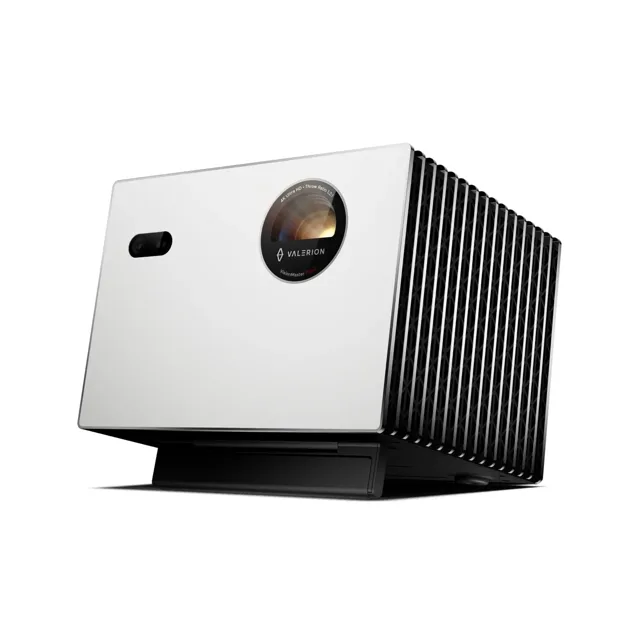 | 4K 240 Hz laser | Native 4K UHD, RGB triple laser | Gaming-grade 240 Hz listed | Dolby Vision, 110% BT.2020 | View Latest Price | Read Our Analysis |
| Nebula X1 4K Triple Laser Projector | 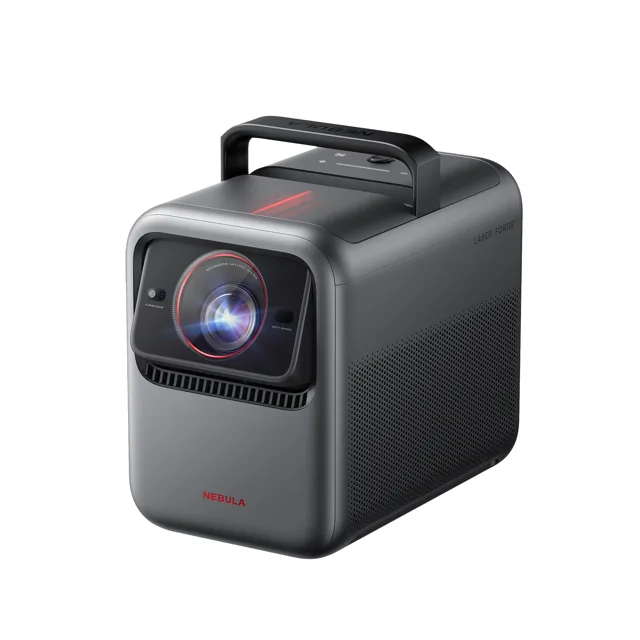 | 4K triple laser | 3840 x 2160, triple laser | 3,500 ANSI lumens | Dolby Vision, up to 300 in | View Latest Price | Read Our Analysis |
| Nebula Cosmos 4K SE Projector | 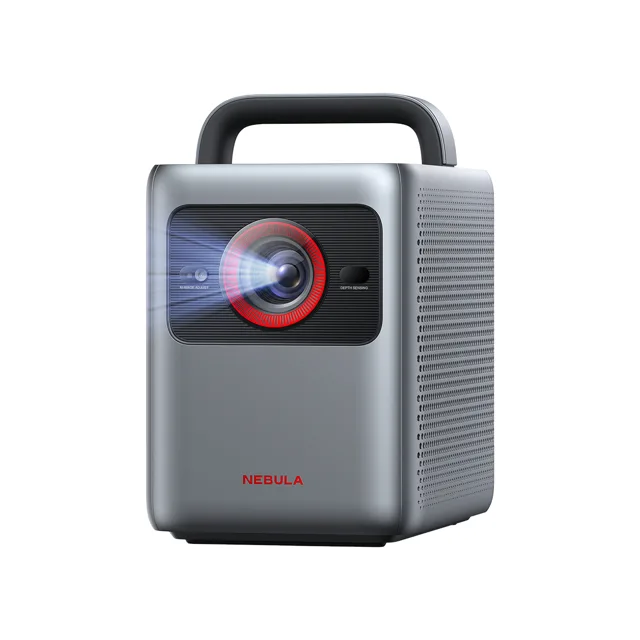 | 4K Dolby Vision | 4K with Dolby Vision | 1,800 ANSI lumens | HDMI 2.1, 4K/60 input | View Latest Price | Read Our Analysis |
| Nebula Capsule 3 Laser Mini Projector | 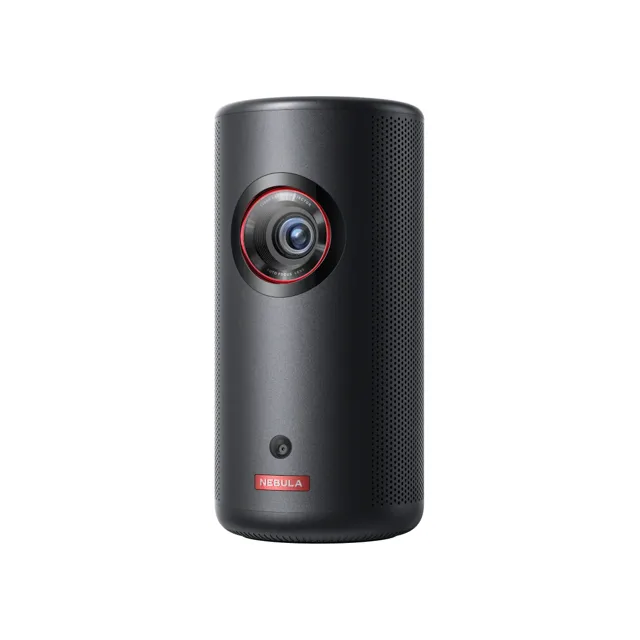 | Portable laser | 1080p laser, 300 ANSI | 2.1 lb, 2.5-hour battery | Android TV 11 built in | View Latest Price | Read Our Analysis |
More Details on Our Top Picks
Valerion StreamMaster Plus2 4K Laser Projector
The shop lists the StreamMaster Plus2 as a 4K RGB triple-laser projector with a gaming-grade 240 Hz mode, 110% BT.2020 colour and Dolby Vision. It is the one model here whose own listing names a high refresh rate for games rather than only a film mode, which is what you want when a console or PC can feed it a fast signal.
Triple-laser light and a 4K chip put it in the premium tier, so it suits a dedicated room where the projector stays mounted. The smart features are there for streaming between sessions, and Dolby Vision covers films as well as games.
- Light engine:4K RGB triple laser
- Gaming mode:Gaming-grade 240 Hz listed
- Colour:110% BT.2020
- HDR:Dolby Vision
- Smart features:Smart AI lifestyle theater
- Best for:A bright room with a console or PC
Nebula X1 4K Triple Laser Projector
The Nebula X1 pairs a 4K triple-laser engine with 3,500 ANSI lumens, a native 5,000:1 contrast ratio and an image size that runs from 40 to 300 inches. Google TV is built in, so streaming apps run without a stick, and Dolby Vision is supported on the video side.
A micro gimbal tilts the lens up to 25 degrees, and auto alignment sets the image for the room. With 15W stereo speakers and a throw ratio of 0.9:1 to 1.5:1 it can sit fairly close to the wall, which helps in a room where the seating is fixed.
- Resolution:3840 x 2160 (4K)
- Brightness:3,500 ANSI lumens
- Image size:40 to 300 inches
- HDR:Dolby Vision
- System:Google TV
- Contrast:5,000:1 native
Nebula Cosmos 4K SE Projector
The Cosmos 4K SE is the mid-priced 4K option: Dolby Vision, 1,800 ANSI lumens from a hybrid LED and laser light source, and a maximum picture of 200 inches. The HDMI 2.1 port with eARC accepts a 4K/60 signal, which is the input a current console or PC sends.
Google TV handles apps and includes Netflix in 4K, and the dual 15W speakers cover casual sessions. Automatic setup covers focus, keystone, obstacle avoidance and screen fit, so moving it between rooms does not mean a long alignment each time.
- Resolution:4K
- Brightness:1,800 ANSI lumens
- Image size:Up to 200 inches
- HDR:Dolby Vision
- Ports:HDMI 2.1 (eARC), 4K/60
- Audio:Dual 15W, Dolby Audio
Nebula Capsule 3 Laser Mini Projector
The Capsule 3 Laser is the portable pick: a 1080p laser projector at 300 ANSI lumens that weighs 2.1 lb and runs for about 2.5 hours on its 52Wh battery. It tops out at a 120-inch picture, so it is for a bedroom wall or a garden screen rather than a dedicated cinema room.
Android TV 11 is built in, autofocus and keystone take about three seconds, and the 8W Dolby speaker means no extra soundbar for casual play. Its size makes it the one here you can carry to a friend's house with a console.
- Resolution:1080p
- Brightness:300 ANSI lumens
- Image size:Up to 120 inches
- Battery:52Wh, 2.5 hours
- Weight:2.1 lb (950 g)
- System:Android TV 11
Factors to Consider When Choosing Gaming Projectors Low Latency
When you pick a gaming projector, you’ll want solid latency and fast response times to keep up with real-time action. Look for clear input lag standards, gaming-optimized modes, and refresh rate compatibility that match your console or PC, plus a size throw that fits your room. Consider screen size and throw distance to ensure the image stays sharp and responsive as you play.
Latency And Response Time
Latency is the quickness of a projector’s response to your inputs, and in gaming that speed matters more than you might think. Latency is measured in milliseconds (ms) and indicates how quickly a projector responds to input, with lower values meaning faster response for gaming. Many gaming projectors publish a low-latency figure for 1080p or 4K to appeal to competitive players. Auto- or game-mode optimizations, fast pixel response (DMD), and high‑refresh-rate support contribute to reduced perceived lag. Short-throw and high-refresh-rate capabilities can help minimize latency by reducing processing delays and improving frame synchronization with the source. Some projectors advertise a dedicated gaming mode and claim their lowest lag with it switched on, which is the number worth comparing.
Input Lag Standards
Did you know that input lag is the delay between your action and what you see on screen, and it’s a key measure for gaming performance? What you want is the lowest figure the maker publishes for game mode, since that is what gives near-instant feedback for fast-paced titles. Short-throw and 4K gaming projectors often reduce lag through enhanced processing and game mode settings, so look for those features. Some projectors advertise a low-latency mode for 1080p or 4K, signaling suitability for competitive gaming. Remember that higher refresh rates can boost perceived smoothness, but actual latency depends on both frame rate and the projector’s internal processing latency. Prioritize models with documented latency figures and game-oriented optimizations to meet your performance needs.
Refresh Rate Compatibility
To get the smoothest gaming experience, your projector’s refresh rate should match or exceed your source device’s frame rate, whether you’re chasing 60 Hz for casual play or 120 Hz for high-frame-rate titles. A higher refresh rate also pairs well with low input lag, and the models that publish a gaming mode quote their best figure with it enabled. Some projectors natively support 120 Hz, enabling smoother 1080p/120 gameplay when you connect capable consoles; the Valerion StreamMaster Plus2 is the one here listed at 240 Hz. If motion processing or MEMC is present, verify it won’t add lag that cancels the benefits for fast-paced titles. Always confirm official specs or independent reviews, since figures vary by resolution, color mode, and brightness.
Gaming Mode Optimizations
What exactly should you look for in gaming mode optimizations to slash input lag? You want auto game-specific processing paths that cut frame processing time, boosting responsiveness in fast-paced titles. Look for low-latency modes that disable nonessential post-processing, trading image polish for speed. Short-throw designs and fast pixel response, such as the microsecond switching of a DMD chip, deliver noticeably smoother motion with less blur. Some projectors advertise dedicated gaming modes that synchronize with your console’s output at 4K/60 Hz or 1080p/120 Hz, yielding consistently lower input lag. Prioritize models with a documented game mode, stable frame timing, and lag kept low without losing colour or brightness. This balance ensures you gain speed without sacrificing clarity during intense matches.
Screen Size And Throw
If you’re aiming for low latency, screen size and throw distance matter just as much as fast pixels. Throw distance determines your image size: a short throw can fill a wall from a few feet back, letting small rooms feel cinema-like. You can adjust screen size with optical or digital zoom to fit room dimensions and seating. Larger screens need more distance from a standard throw projector, while a wide throw ratio reaches a bigger picture in a shorter room; the Nebula X1 covers 40 to 300 inches. Remember that bigger screens demand higher brightness to preserve clarity and impact, so factor lumen output into your choice.
Frequently Asked Questions
What Is the True Input Lag for Competitive Gaming?
Input lag for competitive gaming varies between models, so compare the figure each maker publishes for its game mode rather than chasing one absolute target. A source that outputs a high frame rate, a projector with a dedicated game mode, and the same test conditions each time are what make a comparison meaningful.
Do Gaming Projectors Support 4K Input at 60HZ?
Yes, many gaming projectors support 4K at 60Hz, though you’ll often see enhancements like HDR and motion smoothing for smoother gameplay. The Nebula Cosmos 4K SE, for example, has an HDMI 2.1 port for 4K/60 sources.
Is There a Noticeable Motion Blur in Fast-Paced Games?
Yes, you may notice some motion blur in fast-paced games, but many gaming projectors mitigate it with high refresh rates and short input lag, so you’ll still enjoy smoother motion when you enable motion tech.
How Does 3D Mode Affect Latency and Brightness?
In 3D mode, latency can increase due to frame packing and processing, and brightness drops since each eye gets half the light. You’ll notice more eye strain, slower response, and dimmer image, especially in bright rooms.
Which Throw Distance Suits Small Rooms Best?
In small rooms, you’ll want a short throw, which fills a wall from close range. You’ll enjoy scalable size, minimal crowding, and quick setup, avoiding oversized screens that steal wall space and bandwidth. Enjoy smoother gaming.